
Batch Replace Smart Objects Across Bulk PSD Templates
Batch replace the smart object in your bulk PSD templates with every design you have — PodBulk fills each template and renders finished product mockups in one run, right in your browser. No Photoshop needed.
Free plan · No credit card · Your files never leave your browser
“Made 180 mockups over lunch. No Photoshop, no stress.”
~10 minutes

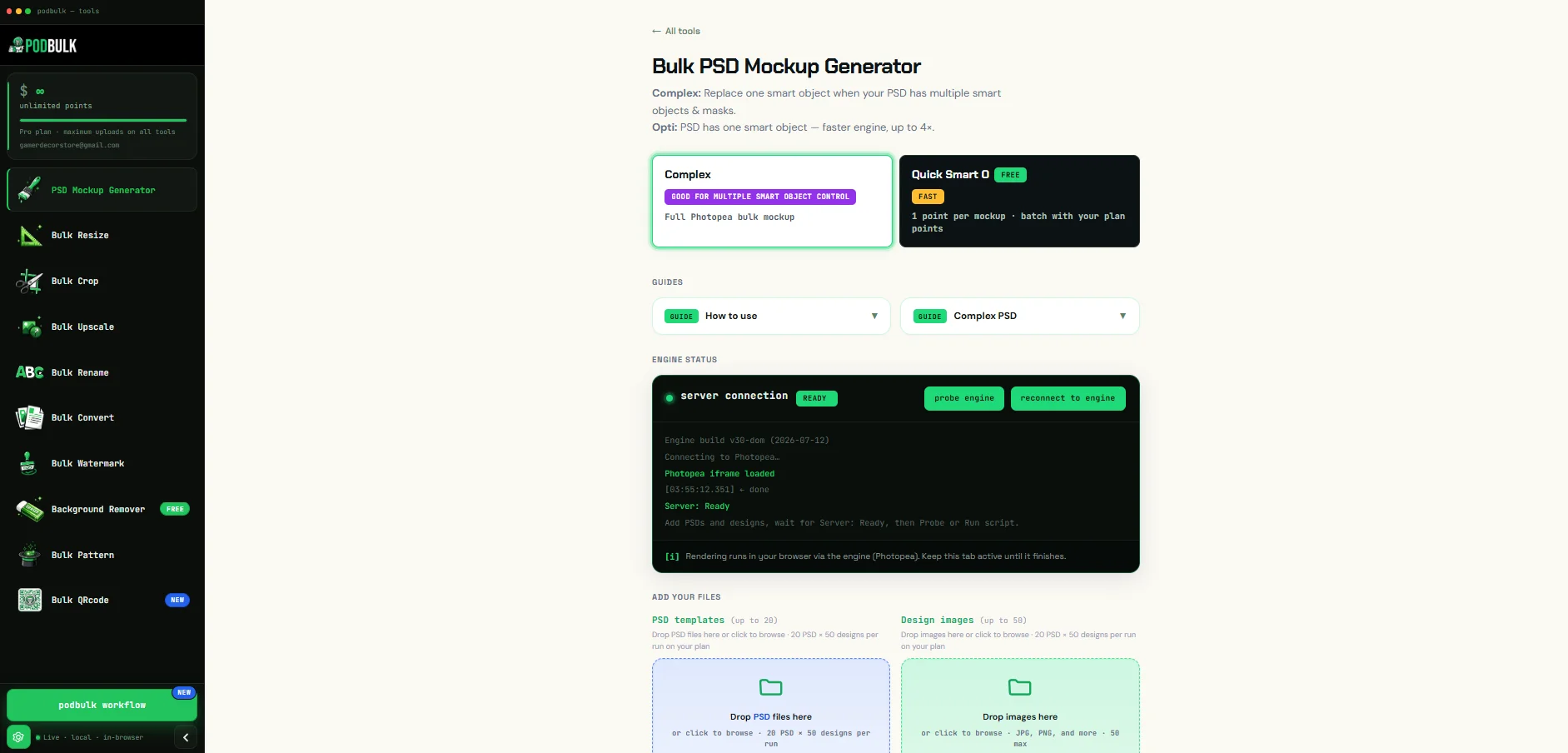
Batch replace smart objects across all your PSD templates
You already know the slow way: open a file, drop a design into the smart object, wait, export, rename, repeat. PodBulk removes all of it.
Upload a PSD template that has a smart object layer, add your design images, and PodBulk places each design into the smart object and renders a finished mockup — across every design and every template, all in one batch, entirely in your browser.
- No Photoshop, no install, no subscription
- Works in any modern browser, on any computer
- Files render on your device — never uploaded to us
Not just mockups — a whole bulk image toolkit
PodBulk is a full set of browser-based bulk tools for print-on-demand sellers. Everything runs on your device — no installs, no uploads to us.
PSD Mockup Generator New
Bulk-generate product mockups from your PSD templates — fill the smart object and render every design at once.
Bulk Resize
Scale a whole folder by percentage or resize every image to exact pixel dimensions in one pass.
Bulk Crop
Trim, crop to size, or crop by aspect ratio across every image at once — perfect for consistent listings.
Bulk Upscale
Enlarge images in bulk — Fast (instant) or AI (slower, adds real detail) for crisp, high-res results.
Bulk Rename
Rename entire batches with a base name plus automatic numbering — tidy files, ready to upload.
Bulk Convert
Switch between JPG, PNG, WebP and SVG in one go — HEIC input is welcome too.
Bulk Watermark
Stamp your logo onto every image at a position you choose — protect and brand your whole catalog.
Bulk Pattern
Tile each image into a seamless repeating pattern over a custom background — great for fabrics and wraps.
Bulk QRcode New
Create QR codes — a free simple JPG on the Free tier, or bulk QR codes with logos on paid plans.
Workflow New
Chain PodBulk tools into one automated pipeline — resize, watermark, convert and export in a single run.
Three steps to a full set of mockups
No skills needed. If you can upload a file, you can run a bulk batch.
Upload templates + designs
Drop in your PSD templates (with a smart object layer) and all the design images you want to apply.
Click run
PodBulk fills the smart object with each design and renders every combination automatically — one batch, no babysitting.
Download your mockups
Grab your finished mockups as JPEG, PNG, or PSD — neatly organized and ready for your listings.
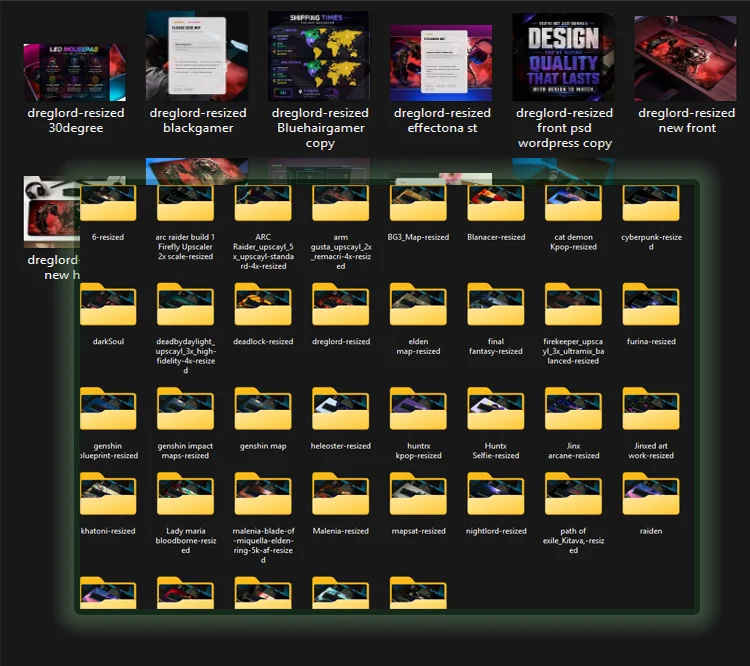
40 designs. Every mockup. One run.
Every design, rendered on every mockup, sorted into its own folder — named and ready to upload.
Why sellers choose PodBulk
PodBulk makes all your product mockups in bulk, right in your web browser — with no Photoshop, nothing to install, and your files never leaving your computer.
No Photoshop needed
You don’t need Photoshop or any Adobe app, and no design skills either. PodBulk does the work in your web browser.
Works in any browser
Use Chrome, Edge, Firefox or Safari on almost any computer. There’s nothing to download or install.
Fast in bulk
Make around 200 mockups in about 10 minutes — all in one run, instead of one at a time by hand.
Your files stay private
Everything is made on your own computer. Your designs and PSD files are never uploaded to us.
Same bulk mockups — without Photoshop
The old way needs Adobe Photoshop installed, plus a script that only runs inside it. PodBulk needs neither — you get the same bulk mockups straight from your browser.
| Feature | Photoshop script | BulkMockup | MockCity | PodBulk |
|---|---|---|---|---|
| Photoshop required | Yes — paid license | Yes — paid license | No | No ★ |
| Install needed | Yes | Plugin install | No | None — runs in browser ★ |
| Pricing | Adobe subscription | Adobe subscription + $15 | Free, Pro price unpublished | Free plan, then $7.99/mo ★ |
| Use your own PSD templates | Yes | Yes | Yes | Yes Equal |
| Bulk across designs + templates | Tied to Photoshop being open | Tied to Photoshop being open | One batch, automatic | One batch, automatic ★ |
| Rendering speed | Limited by Photoshop + your PC | Limited by Photoshop + your PC | Server queue — shared with all users | As fast as your PC — renders locally, no queue ★ |
| PodBulk and browser tools render using your computer’s power — a faster PC means faster batches, with no server queue slowing you down. | ||||
| Target smart object by layer name (Complex) | Manual scripting | No | No | Yes — built in ★ |
| Output sorted into folders | No | No | No | Yes — one folder per design ★ |
| Chain steps (mockup → watermark → resize → rename) | No | No | No | Yes — Workflow, one run ★ |
| Extra tools (resize, convert, QR, watermark) | No | Mockups only | Mockups only | 9 tools + Workflow, one place ★ |
| Files stay on your device | Yes | Uploaded to server | Uploaded to server | Yes — rendered in browser ★ |
From free to 8,000 mockups a month
Start on the free plan with no card, then scale up whenever you need more. Pricing lives on the app.
Quick answers
The things sellers ask most before their first batch.
Do I need Photoshop to use PodBulk?
No — you don’t need Photoshop at all. PodBulk runs entirely in your web browser. There’s nothing to install, no Photoshop license, and no design-software subscription.
Are my files safe? Do you store my designs or PSDs?
Your files never leave your browser. PodBulk renders everything locally on your device. Your PSD templates, design images, and finished mockups are never uploaded to or stored on our servers.
Is there a free plan?
Yes — there’s a free plan with no card needed. You can try PodBulk on your real templates before deciding to upgrade. Paid plans add higher limits and extra features.
Can I use the mockups commercially?
Yes. You own your designs and the mockups you generate, and you’re free to use them commercially — for Etsy, Shopify, Amazon, Printify, or any other store — as long as you have the rights to the files you upload.
How fast is it?
On a good computer you can generate around 200 mockups in about 10 minutes. Each mockup takes roughly 3–15 seconds depending on your PC and how complex the PSD is.
How to Replace Images in Photoshop PSD Files Quickly
Open the PSD, double-click the smart object layer, drop in your new image, then save and export. That’s fast for a single file — but repeating it across many designs and templates adds up quickly. PodBulk automates exactly this: it places each design into your PSD’s smart object and renders every result in one batch, right in your browser.
Batch Replace Images in Photoshop: The Complete Guide
Photoshop has no true one-click batch smart-object replace — you’d automate it with Actions or a custom JSX script that only runs while Photoshop is open. PodBulk replaces the smart object with every design you upload and renders all combinations automatically, with no Photoshop and no scripting.
Can You Bulk Edit Photos in Photoshop Automatically?
Partly — Photoshop Actions and File → Automate → Batch can automate crops, resizes and filters, but they need Photoshop installed and open. For bulk mockups, resizing, cropping, converting and watermarking without Photoshop, PodBulk runs the whole batch in your browser.
How to Replace Smart Objects in Photoshop: Complete Guide
Double-click the smart-object thumbnail to open it and replace the contents, or use Layer → Smart Objects → Replace Contents, then save to update the mockup. PodBulk does this for you across every design and template at once, so you’re not opening files one by one.
Batch Edit Photos Using Photoshop Actions: Save Hours of Work
Record an Action for a repetitive edit, then run File → Automate → Batch over a folder. It’s powerful but tied to Photoshop and fiddly to set up. If the goal is bulk mockups or bulk image edits, PodBulk skips the setup entirely and runs everything in the browser.
Smart Object Not Editable? Here’s How to Fix It
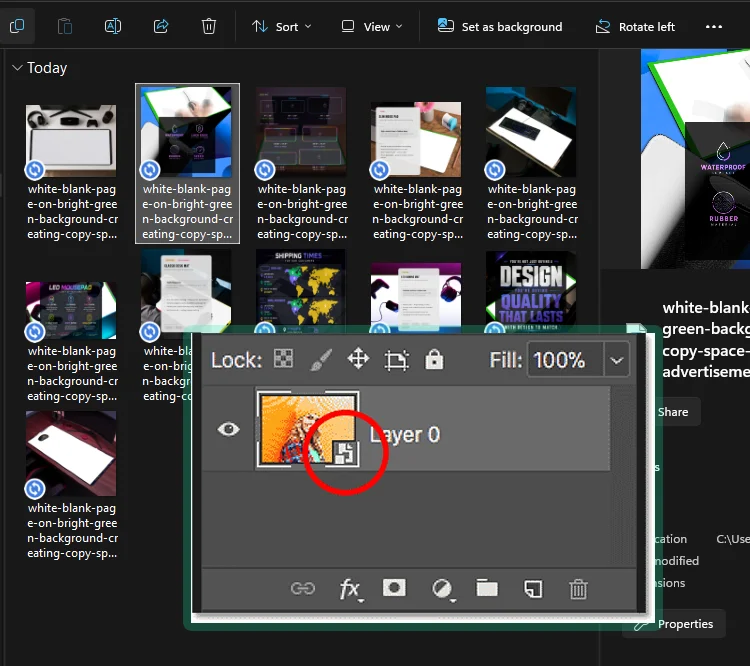
Usually the layer isn’t actually a smart object, the PSD is flattened, or the layer is locked. Right-click the layer and choose “Convert to Smart Object,” and make sure the layer and PSD aren’t locked. For mockups, PodBulk auto-detects the smart object (default name “podmock”) so you don’t have to hunt for it.
What is a Smart Object Mockup and Why Should I Use One?
A smart-object mockup is a PSD with a special layer that wraps your design onto a product — a t-shirt, mug or poster — with realistic perspective, lighting and texture. Drop your artwork into the smart object and it looks professionally photographed. PodBulk fills that smart object for you across your whole design library in one run.
How to Create a Professional Product Mockup in Minutes
Start with a PSD template that has a smart object, add your design, and export — or skip the manual work and let PodBulk generate finished, listing-ready mockups in bulk. Upload your templates and designs, click run, and download as JPEG, PNG or PSD.
Smart Objects vs Regular Layers: Which Should You Choose?
Regular layers bake in edits and lose quality when scaled; smart objects stay non-destructive, scale cleanly, and let you swap contents without redoing the design. For mockups you almost always want a smart object — it’s what makes one-click design replacement (and PodBulk’s bulk rendering) possible.
How to Watermark 100+ Images at Once Without Losing Folder Organization
PodBulk’s Bulk Watermark stamps your logo onto every image at the position you choose, in one pass — and keeps your output tidy and foldered so nothing gets scrambled. No opening images one at a time.
Best Bulk Watermark Software for Photographers and Content Creators
The best bulk watermark tool is fast, keeps your files private, and doesn’t force uploads to a server. PodBulk’s Bulk Watermark runs in your browser, applies your logo to entire folders at once, and never sends your images to us.
Can I Watermark Videos and Images in the Same Batch?
PodBulk’s Bulk Watermark is built for images — it applies your logo across large image batches in one run, entirely in your browser. Video watermarking isn’t part of the image batch, so handle video separately for now.
How to Generate 1000+ QR Codes at Once
Making QR codes one by one doesn’t scale. PodBulk’s Bulk QRcode generates codes in bulk — a free simple JPG on the Free tier, or large batches with logos on paid plans — so you can produce hundreds or thousands in one go.
Best Free QR Code Generator for Small Business
A good free QR generator gives you clean, scannable codes with no watermark and no signup wall. PodBulk’s Bulk QRcode includes a free tier for simple JPG codes, with bulk generation and branded (logo) codes available when you need to scale.
Best Tools to Rename Hundreds of Images at Once
The fastest way to rename big image sets is a bulk renamer that adds a consistent base name plus automatic numbering. PodBulk’s Bulk Rename does exactly that in your browser — tidy, sequentially-named files ready to upload, with no manual clicking.
What sellers say about PodBulk
Real print-on-demand sellers, using PodBulk to ship mockups faster.
“I used to spend whole evenings dragging designs into Photoshop one by one. Now I upload a batch, hit run, and the mockups are just… done. It genuinely gave me my evenings back.”
“No install, no Adobe subscription, and my PSDs never leave my laptop. I made close to 200 mockups in one sitting for a new drop. Insanely fast for the price.”
“I’m not techy at all and I still figured it out in five minutes. Upload templates, upload designs, click run, download. Exactly what a busy seller needs.”
Start free today
Make your first bulk mockups in your browser — no card, no Photoshop. Try it now and see how fast a full batch can be.