
 Gamer · November 5, 2026 · ~6 min read
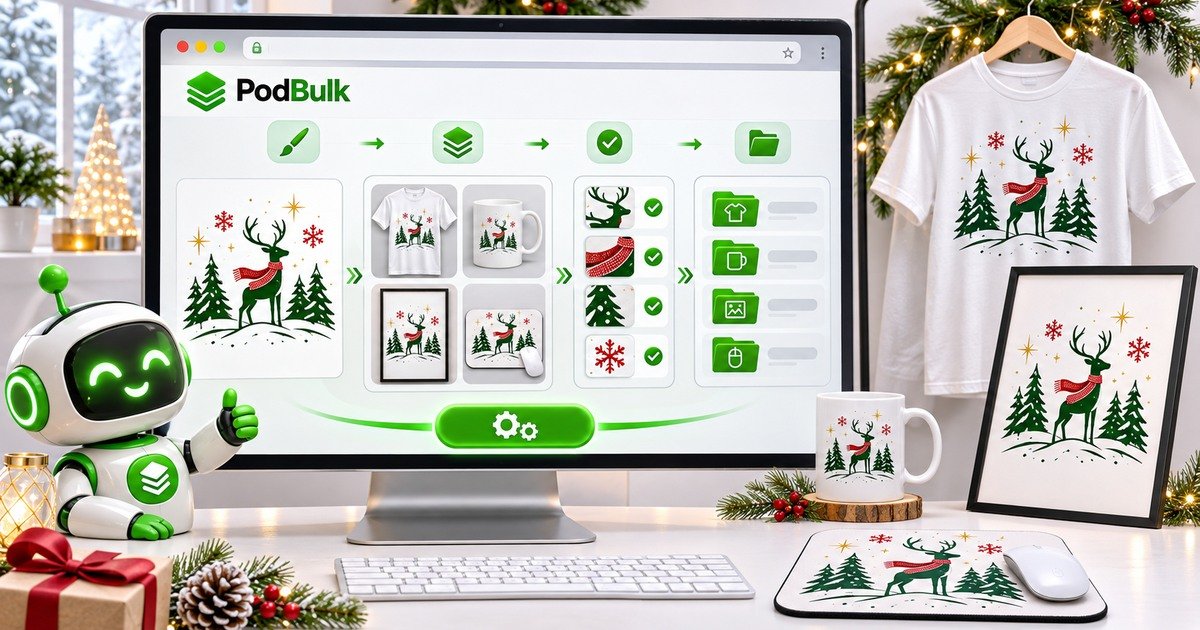
Holiday mockup production becomes exhausting when every design requires the same manual cycle: open a PSD, find the Smart Object, replace the artwork, export, rename, resize and repeat. The seasonal rush makes that repetition more dangerous because one unnoticed mistake can spread across hundreds of listing images.
This guide builds a calmer workflow with PodBulk and your own PSD templates. The goal is not to promise Christmas sales. It is to prepare accurate product images earlier, keep clean masters and reserve human attention for design and quality control.
The holiday workflow
- Choose the products and listing-image plan.
- Clean the final holiday design folder.
- Audit and prove each PSD Smart Object target.
- Run a small contrast proof batch.
- Generate the approved design × template matrix.
- Review full-size output and marketplace thumbnails.
- Create channel-specific resized copies.
- Organize files by design, product and scene.
Start with a realistic production matrix
Write the math before uploading. Forty designs across ten templates can create 400 images. If each listing only needs four useful scenes, do not render ten simply because the templates exist.
Separate products by aspect ratio and placement. A vertical poster design, square mouse pad and wraparound mug do not always belong in one identical batch.
Use mockups you are authorized to use
Etsy currently explains that qualifying print-on-demand listings may use an authorized stock photo mockup when a production partner prints the seller’s original design on a standard base product. That does not grant permission to use any image found online. Confirm the PSD licence, production-partner disclosure and current listing-image rules.
Keep the licence or receipt beside the template library. Marketplace policies can change, so recheck official guidance before a major seasonal upload.
Prepare designs before touching the PSDs
Move drafts, alternate colours and thumbnails out of the production folder. Use stable names such as winter-deer-001.png. Keep transparency only where the product needs it and use enough pixel dimensions for the largest placeholder.
Group designs by orientation and product fit. This reduces stretched or awkward output and makes quality review faster.
Choose the target deliberately
Use Auto detect when the PSD has exactly one unambiguous fillable Smart Object. A layer named podmock is preferred. Use Focus for one exact case-sensitive target among several objects. Use multiFocus when the same design should fill every intended object sharing a prefix such as mock_.
Hidden Smart Objects count, and nested groups are searched. Read the Smart Object naming guide before standardizing a seasonal library.
Why Smart Objects make reusable scenes possible
Adobe documents that replacing Smart Object contents keeps the transformations already applied to the placeholder. A correctly built PSD can therefore preserve perspective and placement while the source design changes.
This does not make every PSD compatible. Linked assets, unusual masks and complex nested structures still require testing. Preserve the original and use the PodBulk engine or Vortex profile proven for that template.
The three-design proof batch
- Select one light design.
- Select one dark design.
- Select one high-contrast design with obvious orientation.
- Run all three through every intended template.
- Inspect crop, perspective, masks, shadows and colour.
- Confirm the filename connects the design and scene.
- Fix or exclude failures before production.
Three designs across ten templates produce only 30 proof files. That is a manageable place to discover a wrong layer or crop.
Keep clean masters separate
Save the largest approved mockup without marketplace-specific overlays or crops. Create Etsy-ready, social and advertising copies from that master. Do not repeatedly recompress one JPEG.
A useful filename combines the design and scene: winter-deer-001__mug-white-front__master.jpg. Keep channel copies in separate folders.
Primary image quality matters
Etsy’s current Help guidance requires the first listing image to meet minimum dimensions and recommends producing at the highest practical resolution. Etsy also warns that a dark, blurry or collage-style main image can hurt visibility. Confirm the latest requirements before export.
View the primary image at a small phone thumbnail. The product and design should still be easy to identify. Use additional images to show alternate angles, scale and relevant detail instead of forcing everything into one collage.
Resize, convert and rename after approval
Only process derivatives after the master passes review. Use bulk resize or crop to create consistent listing images without stretching. Convert to the appropriate format and inspect fine lines, texture and transparent edges.
Bulk Rename can apply a stable convention, but design IDs should already exist. Organization tools save time only when the naming rule is clear.
Watermarks and seasonal branding
A heavy overlay can distract from the product and may conflict with marketplace promotion requirements. Etsy has advised sellers to consider branding within the scene rather than an overlay watermark. Check current official guidance before deciding.
Keep any watermarked derivative separate from the clean master. Never destroy the only approved output.
Quality control without reviewing every pixel
Inspect every proof image, then sample the beginning, middle and end of each production batch. Check all outputs for templates that previously failed. Reject clipped text, wrong orientation, transparent halos, missing texture and misleading placement.
Keep a QA log with the template name, issue and fix. Next season, the tested library starts with evidence instead of memory.
Avoid burnout by separating stages
Do not design, mock up, resize and upload the same product in one endless loop. Finish one stage for a defined batch: designs, proof, production, QA, derivatives, listing. Each stage has one kind of decision.
Set a stopping point and preserve the files. Automation should reduce repetitive clicking, not encourage an unreviewed overnight batch.
Final checklist
- Designs are final and consistently named.
- Template licences are recorded.
- Smart Object targets are documented.
- Proof batch passed.
- Clean masters are separate.
- Primary thumbnails are clear.
- Current Etsy image rules were checked.
- Derivatives use stable dimensions and names.
- QA samples passed.
- Original PSDs remain untouched.
Start the holiday batch
Open the PodBulk mockup app with the proof designs and one tested PSD. Confirm the target and output, then expand to the approved matrix. The 1,000-mockup guide explains batch math, while the Etsy listing image workflow covers resize, organization and watermark decisions.
Official sources
Review Etsy’s listing-image rules, Etsy image requirements and best practices, and Adobe’s guide to replacing Smart Object contents.
Frequently asked questions
Can I use stock mockups for print-on-demand Etsy listings?
Etsy currently says authorized stock photo mockups may be used for qualifying print-on-demand items when a production partner prints the seller’s original design on a standard base product. Verify current rules for your listing.
How many mockups do 40 designs and 10 templates create?
If every design runs through every template, 40 multiplied by 10 equals 400 mockups.
How do I choose the Smart Object to replace?
Use Auto detect for one unambiguous target, Focus for one exact case-sensitive layer name, or multiFocus for every intended target sharing a prefix such as mock_.
Should I run the whole holiday batch at once?
No. Prove each template with a small light, dark and high-contrast design set, then expand after the outputs pass quality control.
Does bulk automation guarantee holiday sales?
No. It reduces repetitive production work. Product demand, design quality, pricing, shipping, marketplace rules and promotion still affect results.
Stop making mockups one by one
Every design on every PSD template, in one run, right in your browser. 200 free mockups a month.